A few weeks ago, I was experimenting with Apache configurations, trying to squeeze out better server performance. Everything seemed fine until late last week when I noticed my site becoming noticeably sluggish. I initially assumed it was a connectivity issue, but after a couple of hours of poor performance, I decided to investigate.
My first step was checking the logs for any clues. Two things stood out:
[error] server reached MaxClients setting, consider raising the MaxClients setting
That was surprising—I had recently tuned the MaxClients setting, and traffic hadn’t increased significantly. The second red flag was the volume of GET requests to external domains. That made no sense. Why would users be requesting pages from other domains through my server?
Then it hit me: I was running as an open proxy. A quick check of my Apache configuration confirmed it:
ProxyRequests On
I had accidentally left ProxyRequests enabled, which meant Apache was forwarding requests to any destination—an open proxy in the truest sense.
Checking the server statistics, I could see exactly when the problem started. Three days earlier, memory usage and bandwidth consumption had spiked. More Apache processes were running, serving hundreds of concurrent connections. But how had I attracted so much traffic so quickly?
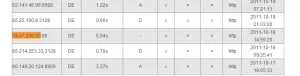
A quick search revealed the answer: my IP address had been listed on multiple open proxy lists. These lists track proxy status, latency, and last check time—complete with automated bots that scan for vulnerable servers. Once discovered, my IP had been replicated across proxy lists worldwide.
I immediately set ProxyRequests back to Off. But the real surprise came when I saw the log activity surge—I had been serving hundreds of concurrent users without realizing it. In a way, it was an unexpected stress test, and the server had held up remarkably well.
Part Two: The Redirect Loop
After disabling proxy requests, I faced a new problem. CPU load spiked to 22 on a 4-processor server—a significant increase. I expected some overhead from failed proxy requests, but not this much.
Examining the logs, I noticed numerous errors about URLs being too long. These URLs followed a pattern: an external domain followed by repeated “http” segments, like http://www.google.com/httphttphttphttphttphttphttphttp...
I tested this by configuring my browser to use the server as a proxy. Visiting google.com triggered a redirect loop, appending “http” to each request until hitting a redirect limit. Every proxy request was generating over 20 server requests.
Using telnet to test directly:
GET http://www.google.com/ HTTP/1.1 Host:www.google.com
The server returned an HTTP 301 (Moved Permanently) response, redirecting to the same domain with “http” appended.
The cause became clear. When Apache receives a request for a domain not in its virtual host list, it serves the default virtual host. In my case, that was a WordPress site. WordPress uses canonical URL redirection—for good reasons like supporting alternative URLs and pretty permalinks—but when it receives a request for a non-existent page, it redirects instead of returning a 404.
This created a loop: Apache served WordPress for unknown domains, WordPress redirected the request, and since the user still had my server configured as their proxy, the cycle repeated—adding another “http” each time.
The fix was straightforward. Following a guide from velvetblues.com, I added this line to my template’s functions.php:
remove_filter('template_redirect','redirect_canonical');
Now proxy requests returned a WordPress 404 page instead of entering a redirect loop.
Part Three: Reducing the Overhead
The CPU load dropped to around 5—better, but still higher than I wanted. I didn’t like that unauthorized proxy traffic was consuming resources, even if it was failing.
I had several options: Apache modules, iptables rules to block requests to non-local domains, or other filtering approaches. But I wanted something simple that wouldn’t require significant time investment.
The insight was that dynamic pages (WordPress) are resource-intensive compared to static HTML. Since I didn’t care about serving a polished page to unauthorized proxy users, why not serve a simple static page instead?
Apache serves the default virtual host for unmatched domains. I enabled the default Apache site—the one that displays “It Works!”—and made it the default. The result was immediate: CPU load dropped to 0.1. Serving static pages instead of WordPress reduced the overhead dramatically.
The final cleanup involved the log files. Since all unauthorized traffic now went to the default Apache site, I reduced the logging overhead:
LogLevel crit
This logs only critical errors, which excluded the proxy-related failures. I also commented out the CustomLog line to disable access logging entirely for the default site.
Lessons Learned
A single misconfiguration—ProxyRequests On—turned my server into a public resource for proxy users worldwide. The incident taught me a few things:
- Check configurations before leaving them in production. The ProxyRequests setting should never have been left enabled.
- Monitor for anomalies. The spike in memory and bandwidth usage was the first indicator something was wrong.
- Default virtual hosts matter. They can significantly impact how your server handles unexpected traffic.
- Static pages for error handling. When dealing with high volumes of unwanted requests, serving static content dramatically reduces resource consumption.
The server survived the ordeal intact, but it was a reminder that small configuration changes can have significant consequences.